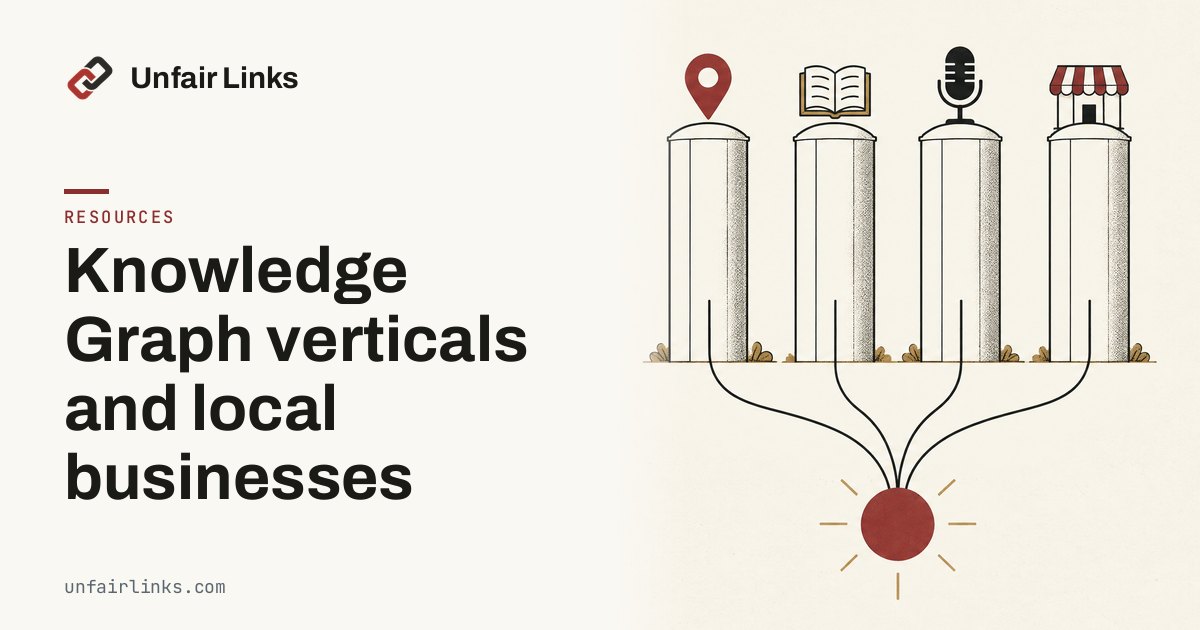
When people talk about Google’s Knowledge Graph, they usually picture one giant database of everything Google knows. In reality it’s more like a family of graphs. There’s the main one, and then there are vertical graphs sitting behind Google’s own products: Maps and Business Profiles, Books, Scholar, Podcasts and so on.
Once you know that, a few confusing things start to make sense. The big one for anyone buying links: a local business can have a perfectly real KGMID and still be invisible to Google’s own Knowledge Graph API.
A graph for every product
Think about what each Google product needs to know. Maps needs every café, plumber and dentist on the planet. Books needs authors and editions. Scholar needs papers and the people who wrote them. Each of those products built up its own set of entities over the years, and each entity got an ID.
The main Knowledge Graph is the one most people mean. It’s the home of the famous stuff: the people, places, brands and topics that get a big knowledge panel when you search for them.
These graphs weren’t all built at the same time, and they don’t share everything with each other. Google has been joining them up gradually. But a small business can sit happily in the Business Profile graph for years without ever making it into the main one. Most of them do.
Where your local plumber lives
A local business starts life in the Business Profile vertical. Google says as much in its Knowledge Panel help: “businesses have special Business Profile panels”, and owners manage them through Google Business Profile, not the usual knowledge panel process.
You don’t have to take our word for the ID part either. Open any business on Google Maps and look at the address bar. Buried in the place data you’ll find something like !16s/g/1tfgnt1h. That /g/1tfgnt1h is the business’s KGMID. (That one is Crabby Jack’s, a restaurant in Guernsey, if you’re curious.) It’s exactly what our free Google Maps KGMID finder pulls out for you.
Why the API comes back empty
Here’s where people get caught out. Google offers a public Knowledge Graph Search API, and it’s tempting to treat it as the official answer to “does this business exist as an entity?”
But the API searches the main graph. If a business only lives in the Business Profile vertical, and most local businesses do, the API simply won’t return it. So you end up with a café that has a real ID in its Maps link and nothing at all in the API.
The takeaway is simple. An empty API result doesn’t mean there’s no entity. If you want to check a local business properly:
- Grab its KGMID from its Google Maps link (or paste the link into our finder).
- Search Google for it directly with
google.com/search?kgmid=followed by the ID. - Look at the Business Profile itself: how long it’s been around, and how many reviews it has.
Why this matters for links
For a local business, the entity that counts is the verified Business Profile, not a spot in the main graph. And that profile is hard to fake. Google makes owners verify the business by postcard to the address, a phone call, email or video before they can manage it. After that, reviews pile up slowly, one real customer at a time.
So whether a small business ever “graduates” to the main Knowledge Graph doesn’t really matter. What matters is the verified, reviewed profile standing behind the website. Years of that is something you can’t buy in an afternoon.
That’s what every Unfair Links placement is built on. Each delivered page shows you the business behind your link, with its KGMID, Google Maps listing and reviews, so you can check it all yourself.